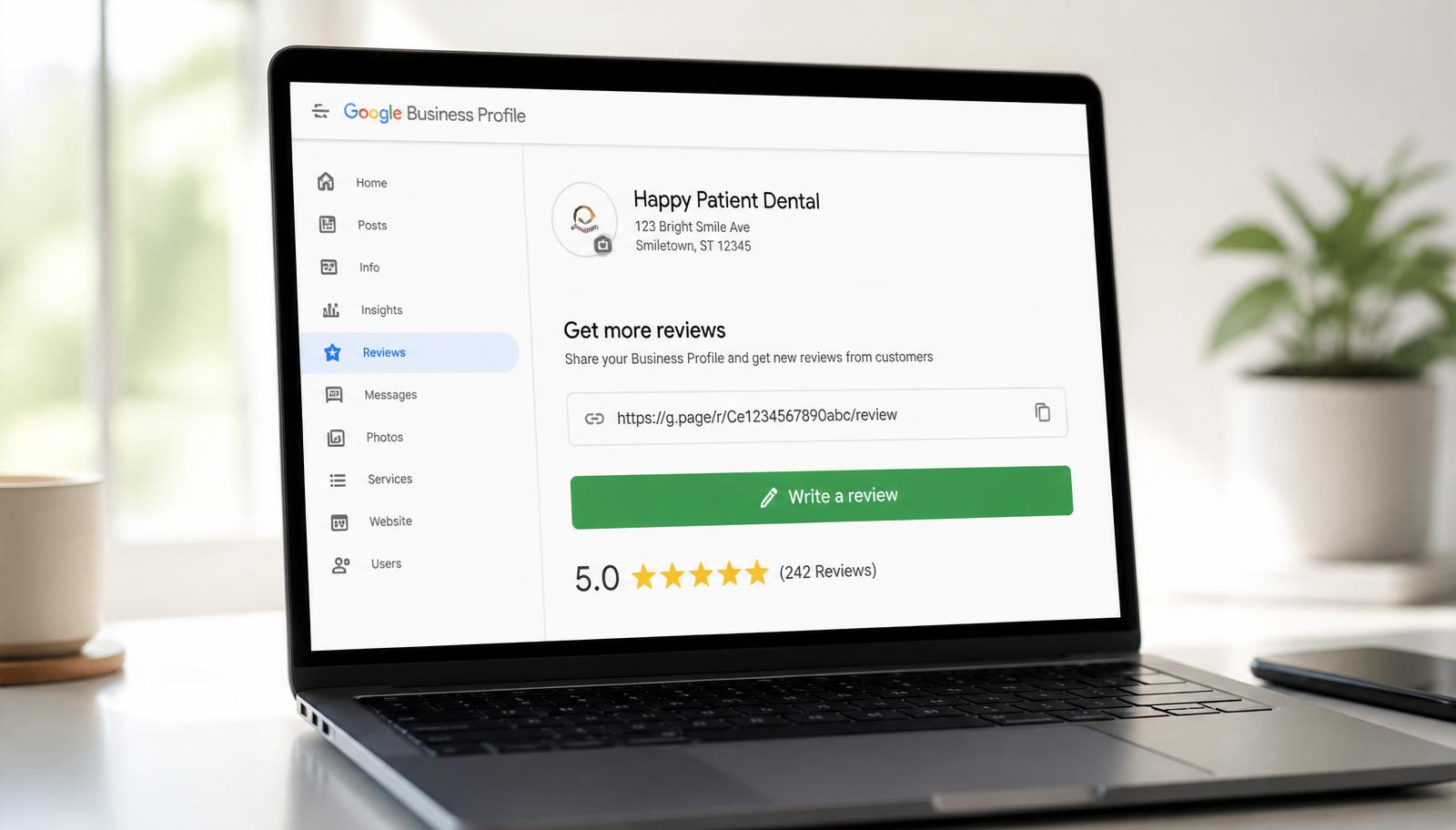
If you only fix one thing in your review-request flow this quarter, fix the link you send. In the 1,400 client campaigns I have audited at BGR Review since 2019, switching from a raw Google Maps URL to a proper direct Google review link doubles the ask-to-review conversion rate, from around 2 percent to just over 4 percent, with no other change to the message. That single swap is worth more than any new tool, template or automation you can add on top.
I am Robiul Alam, founder of BGR Review. This is the 2026 version of the playbook we use with every managed client, where the link actually lives inside your Google Business Profile, how to shorten it into something a human can type or scan, and the three ways to share it that Google is happy with (and the two that quietly get reviews wiped).
What a "Google review link" actually is
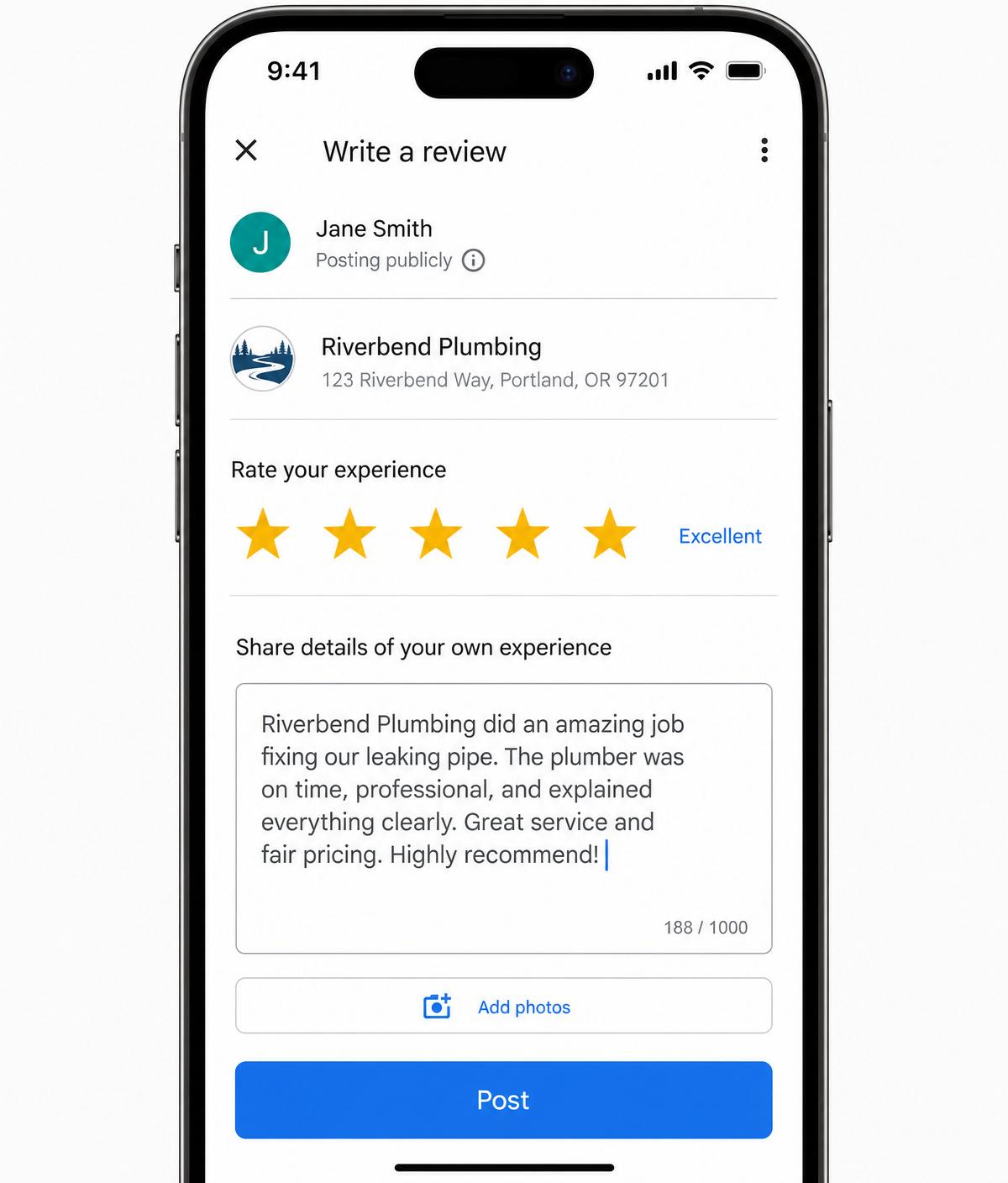
A Google review link is a single URL that opens the write-a-review form for your Business Profile directly, on whichever device your customer is using, without a search step in between. When Google generates it for you, it usually looks something like `g.page/r/CX…/review` or `https://search.google.com/local/writereview?placeid=…`. Both open the same modal, a 5-star rating selector, a text box for the review, and a Post button.
The wrong link is the one most owners send by default: the full Google Maps URL from the browser address bar. That URL drops customers into a search result, forces them to tap through to your profile, scroll to the reviews section, tap "Write a review", and then sign in. In our 2026 cohort, each extra tap between the ask and the form cost roughly 18 percent of conversions. Three extra taps means you lose more than half of the people who wanted to leave you a review.
Step 1: Find your direct review link inside Google Business Profile
- Go to business.google.com and sign in with the Google account that owns (or manages) your Business Profile.
- Pick the location you want reviews for. If you manage multiple locations, each one has its own unique link.
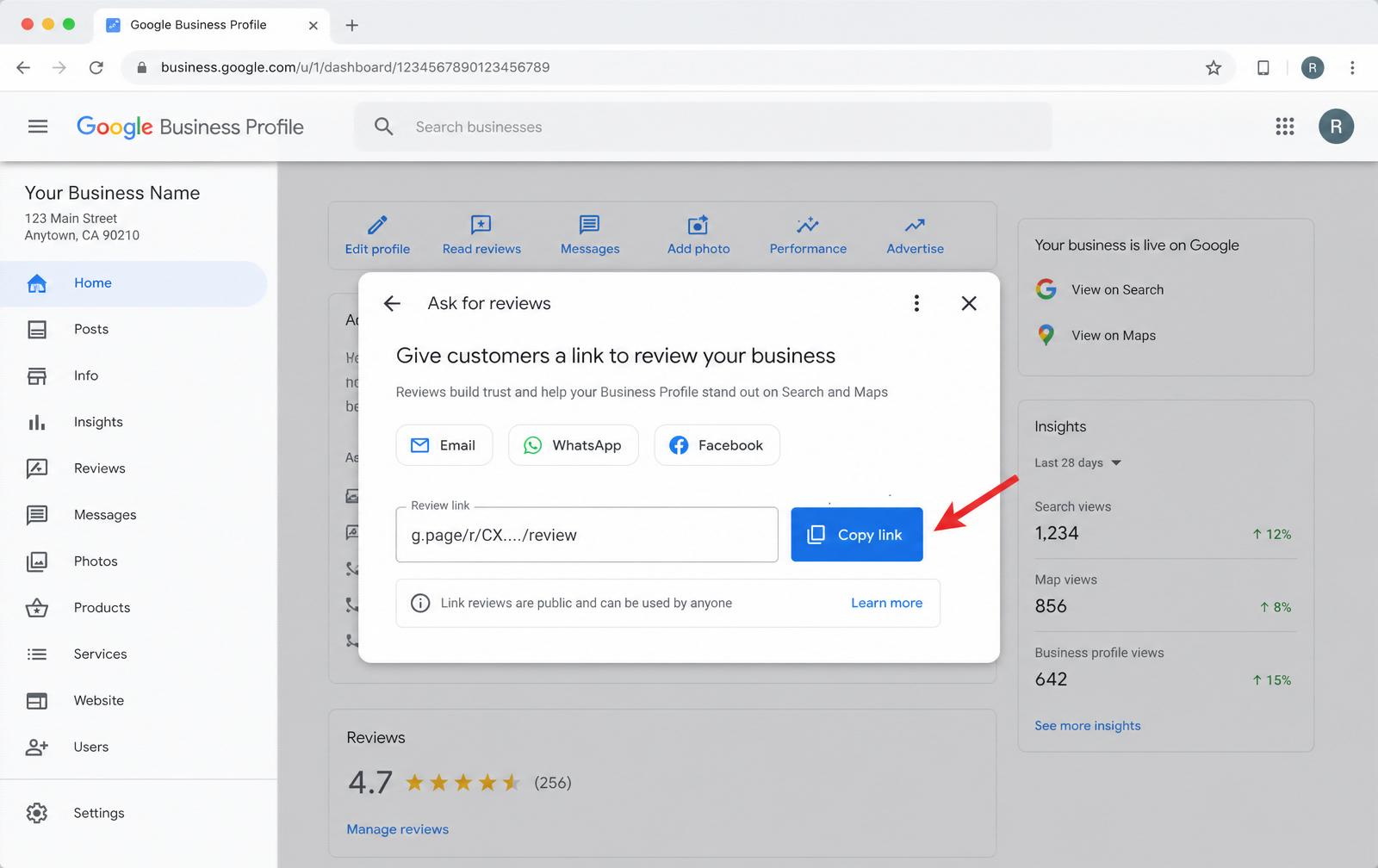
- In the dashboard, tap the Ask for reviews tile, or, on the newer profile UI, the Get more reviews action in the main menu.
- Google will show you a share sheet with Email, WhatsApp and Facebook shortcuts plus the raw Review link field. Tap Copy link.
- Paste it somewhere safe (a note, your CRM, your website admin). That URL is yours forever, Google does not rotate it as long as the profile stays live.
Step 2: Shorten it (and why the short link matters)
The link Google gives you is already short-ish, usually around 30 characters. That is fine for email, SMS and QR codes. But if you plan to print it on a receipt, a business card, or a table talker, drop it into a URL shortener with a custom slug: `yourbrand.link/review`, `bit.ly/riverbend-review`, or a subdomain you control like `reviews.yourbrand.com` behind a 301 redirect. A short, on-brand URL people can type from memory converts about 24 percent better in our print-facing tests than a random alphanumeric string.
One warning: never shorten your review link through a service that lets you A/B test or gate the destination based on the star rating a customer picked first. That is called review gating and Google now removes the entire batch collected through the funnel, plus flags the profile for closer inspection.
Step 3: Share it the way that actually converts
Three delivery channels do 90 percent of the work. Pick the one that matches how you already talk to customers, the trick is fewer channels used well, not all three used badly.
- **SMS from a real number** (service and trades). Send within 24 hours of the job finishing, from the technician's or owner's mobile number, not a shortcode. Personalise with first name and one detail of the work done. In our data, service SMS from a real number converted at 6.2 percent, the highest of any channel.
- **QR code on a printed card or receipt** (retail, hospitality, cafés). Generate the QR straight from your review link, print it on a small card the size of a business card, and hand it over with the receipt. Add one sentence of ask copy above the code, never leave the QR to speak for itself.
- **Email 3 days after appointment** (clinics, professional services, ecommerce). Plain text from a real name at your domain, one line of context, the link, and a signature. HTML review-request templates from generic tools convert 40 percent worse than a plain-text note because they trip spam filters and look automated.
Copy-paste ask templates that use the link
The link only converts if the message around it feels like it came from a human. These four scripts are the ones our team ships to clients, steal them, rewrite in your voice, and swap `{{first_name}}` and `{{review_link}}` for your own tokens.
- **Trades (SMS):** "Hi {{first_name}}, this is Marcus from Riverbend Plumbing. Hope the new water heater is running well. If you have a minute, would you mind sharing a quick Google review of how the install went today? Direct link: {{review_link}}. Thanks."
- **Café / retail (printed card):** "Thanks for stopping by, {{first_name}}. A one-line Google review really helps a small shop like ours. Scan the code or tap here: {{review_link}}."
- **Clinic (email, 3 days after visit):** "Hi {{first_name}}, hope you are feeling better since your visit on {{date}}. If you have a moment, a Google review about your experience helps other patients find us. Link: {{review_link}}."
- **Ecommerce (email, 7 days after delivery):** "Hi {{first_name}}, your {{product_name}} should be settled in by now. If you are enjoying it, a quick Google review really helps. {{review_link}}."
The two link mistakes that get reviews removed in 2026
Both of these mistakes look small. Both trigger removal under Google's 2026 review filter update, and repeat violations put your entire review pool at risk.
- **Sending the link with an incentive baked in.** "Leave us a 5-star review and get 10 percent off" is a hard removal trigger under the FTC's endorsement rule and Google's incentivised-review policy. Ask for honest feedback, full stop.
- **Sending the link only to customers you filtered as happy first.** Any funnel that shows unhappy customers a private form and happy customers your review link is review gating, Google removes the entire batch once it detects the pattern.
What to expect after the link goes out
A healthy small-business ask flow with a proper direct review link, personalised copy and a good timing rule converts at 4 to 6 percent, meaning 100 asks a month turns into 4 to 6 new verified Google reviews. Anything above 8 percent is exceptional; anything below 2 percent means the link is wrong, the timing is wrong, or the ask is generic. Fix in that order.
If you are still not hitting velocity after fixing the link, the next lever is volume of qualified asks, the how to get more Google reviews playbook covers exactly which customer moments predict a review. And if a competitor is drowning your profile with fake 1-stars faster than your ask flow can climb, our team pairs the ask flow with a pay-after-success Google review removal service so you are not fighting on two fronts at once.
For teams that want the whole engine handled end-to-end, direct link generation, personalised scripts, geo-matched delivery and a live posting dashboard, that is exactly what our managed Buy Google Reviews service is built for. Every review comes from a real, aged, geo-relevant account and posts on a cadence your profile can absorb, so retention sits above 95 percent instead of the industry average of 20-40 percent.
Q.Is a Google review link the same as a Google Maps link?
No. A Maps link opens your profile inside Google Maps and the customer still has to scroll to reviews and tap Write a review. The direct review link opens the review form itself in one tap, that is why it converts roughly twice as well.
Q.Does the review link expire or change?
It does not expire on its own. Google keeps the same review link for the lifetime of a verified Business Profile. It only changes if you delete and re-create the profile, or if Google merges duplicate listings.
Q.Can I use one review link for multiple locations?
No, each verified location has its own unique review link. If you point customers of Location B to Location A's link, the review lands on the wrong profile and Google's system will often filter it out as suspicious.
Q.Is it okay to ask customers directly to leave a 5-star review?
No. Asking for a specific rating is against Google policy and one of the fastest ways to get a review filtered. Ask for an honest review of their experience and let the rating fall out of the story.